
Meaningful insights.
Smarter marketing.
Better results.
Google Marketing Platform brings together your advertising and analytics to help you make quality customer connections, surface deeper insights, and drive better marketing results.
Talk to Sales
A smarter platform for better results.

-
Deliver faster, smarter marketing.
Built-in intelligence automatically surfaces your most valuable marketing insights so you can act quickly to achieve your goals.
-
Gain more control over your investments.
Easily see what parts of your marketing are working and make informed decisions to improve performance — ensuring that you’re delivering quality experiences.
-
Understand your audience on a deeper level.
Easily integrate and access your data to gain a deeper understanding of your customers and identify your most valuable audiences.
-
Share insights across your team.
Make information and insights accessible to your entire enterprise so teams can work better together.
-
Deliver faster, smarter marketing.
Built-in intelligence automatically surfaces your most valuable marketing insights so you can act quickly to achieve your goals.
-
Gain more control over your investments.
Easily see what parts of your marketing are working and make informed decisions to improve performance — ensuring that you’re delivering quality experiences.
-
Understand your audience on a deeper level.
Easily integrate and access your data to gain a deeper understanding of your customers and identify your most valuable audiences.
-
Share insights across your team.
Make information and insights accessible to your entire enterprise so teams can work better together.
Powerful solutions, together in one platform.
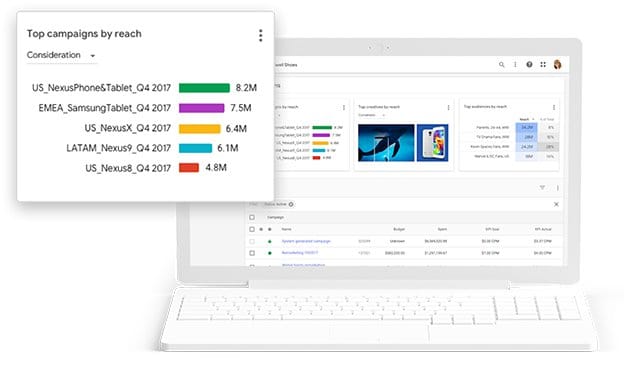
Display & Video 360
Reach today’s always-connected audiences wherever they are.
-
Analytics 360
Use advanced tools to get a deeper understanding of your customers so you can deliver better experiences.
-
Search Ads 360
Get real-time data and unified insights for your search campaigns.
-
Tag Manager 360
Manage all your tags in one place for a smarter, simpler way to oversee your marketing.
-
Campaign Manager 360
Get a complete view of all your digital media campaigns.
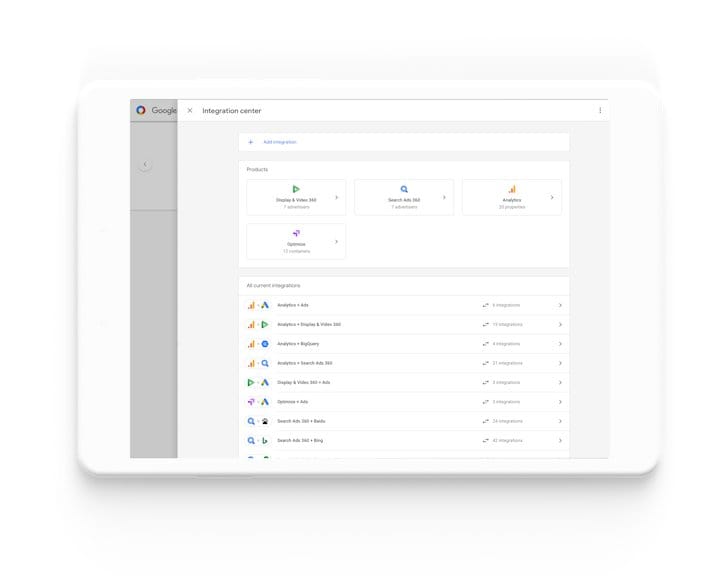
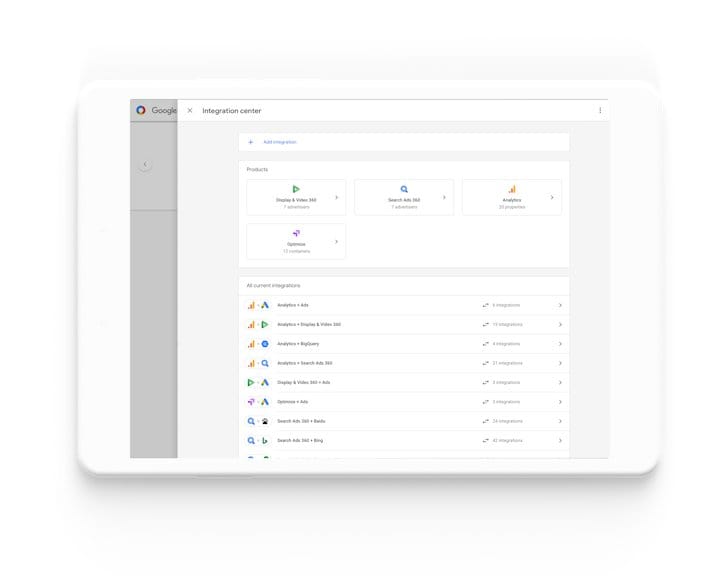
Designed to work together.
Google Marketing Platform solutions are built to work together, so you can easily access shared data across products — to deliver better customer experiences.
-
Reach the right customers.
Easily connect data from across Google products, including Google Ads — to quickly uncover insights.
-
Tailor your measurement with Ads Data Hub.
Use Ads Data Hub to join event-level campaign data from Google Marketing Platform and Google Ads with data from your own sources, such as a CRM system or marketing database, to run customized analysis that aligns to your specific business objectives while protecting user privacy.
-
Do more with Google Cloud.
You can use Google Marketing Platform together with Google Cloud to unlock advanced marketing use cases like building predictive models to get new insights to improve marketing performance.
-
Reach the right customers.
Easily connect data from across Google products, including Google Ads — to quickly uncover insights.
-
Tailor your measurement with Ads Data Hub.
Use Ads Data Hub to join event-level campaign data from Google Marketing Platform and Google Ads with data from your own sources, such as a CRM system or marketing database, to run customized analysis that aligns to your specific business objectives while protecting user privacy.
-
Do more with Google Cloud.
You can use Google Marketing Platform together with Google Cloud to unlock advanced marketing use cases like building predictive models to get new insights to improve marketing performance.
The Future of Analytics.
In new research from Forrester Consulting, commissioned by Google, marketers and digital analytics decision makers identify key challenges and opportunities for the next wave of analytics.

Stay in the know.



Looking for small-business solutions?
With plenty of free solutions, Google Marketing Platform can help grow businesses of any size.
See solutions